

Product Overview
Brand: CISSIYOG
Color: White
Features:
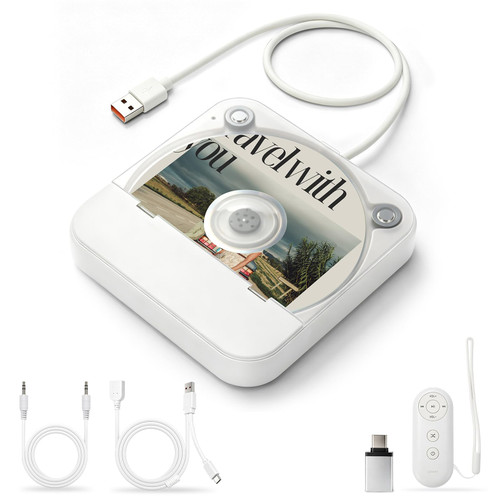
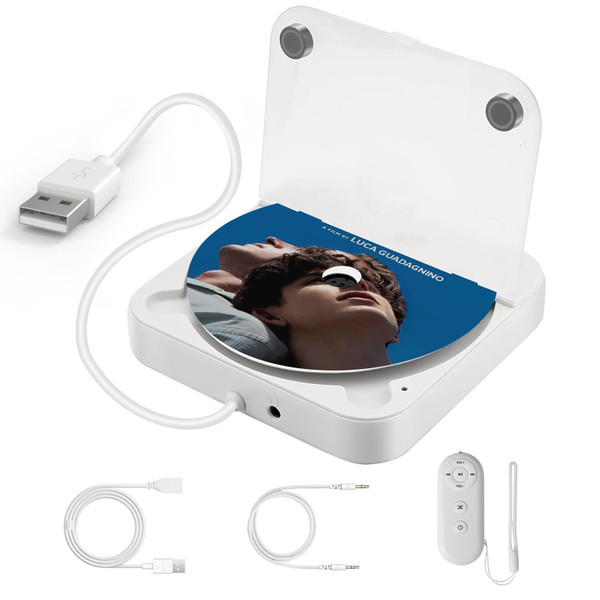
- Car CD Player: This portable CD player is the ideal solution for vehicles without a built-in CD drive. Simply plug into the USB port—no extra adapter required. Comes with a USB extension cable, CD player allowing flexible placement on the center console, dashboard, glove box, and more.
- Plug & Play: There cd players for home two connection methods: USB connection and AUX connection. Connect the external CD player to your car’s USB port, power it on, and insert a disc. The car will automatically recognize the connection and begin playing music from the disc.
- Wide Compatibility: This Portable CD Player for Car works with car stereos that support WAV file playback, greatly expanding its compatibility with more vehicle models. Not limited to car use—it also connects easily to laptops, desktop computers, TVs, and even outdoor speakers, making it a versatile option for home or on-the-go entertainment.
- Enhanced Performance Chipset: The car CD player Equipped with the latest 2025 decoding chip for better CD reading, smoother playback, and noise reduction. The anti-skip and anti-vibration design ensures reliable performance even during bumpy rides or vertical placement.
- Professional Customer Service: This small CD player is small and compact, saving space. If you are not sure whether this external CD player is compatible with your car audio, please contact us. Just contact us via Amazon message and we will confirm it for you.
Details: This CD Player Is for Car Without CD Player. Easy to Insert a CD and Take out CD Two Connection Methods: USB / AUX Connection USB: Connect the USB port of the CD player to the stereo USB data port of the car and the car will automatically recognize and play music from the disc. After successful connection USB playback interface AUX: Connect the USB end of the CD player to the car USB port and power it on, then use the AUX audio cable to connect the car and the AUX port of the CD player. Select AUX mode on the car screen to play songs from the CD Note: The operation will be different for different car models. lf the car is not auto-matically recognized, please click the USB icon to enter the USB music playback in-terface Specifications: Product Model: Car CD player Operating voltage/current: DC 5V/min 1A Product size: 143mm(L) x 133mm(B) x 25mm(H) Packaging size: 168mm(L) X 143mm(B) x 49mm(H) Packaging weight: 376g Operating temperature range: -10°C~+70°C CD adaptability: diameter 12CM External interface: USB 2.0 QA: 1. What formats can a CD player read? CD/CD-R/CD-RW/WAV/MP3. 2. How to determine whether a CD player can be adapted to your car? The car stereo system must have a USB data port or an AUX audio port, and the car stereo system must support the playback of WAV or MP3 audio files. 3. How to connect a CD player to a car? There are two ways to connect a car. The first is to connect the USB port directly to the car stereo USB data port, plug and play. The second is to connect with the AUX audio cable. Plug the CD player USB port into the car USB port or directly connect to the power supply, and then use a 3.5mm AUX audio cable to connect the CD player and the car's AUX audio port. Select AUX mode to play the music in the CD. (Different models have slightly different interfaces and operation methods. Please adjust according to the actual situation.) 4. How to connect the CD player to the smart TV to play the music in the CD? Insert the USB port of the CD player into the USB port of the smart TV, use the remote control to open the USB disk, Open the DATA folder-enter the music playlist, and select the songs you want to listen to. 5. How to connect the CD player to the stereo? Insert the USB port of the CD player into the USB port of the adapter to connect the power supply, and then use the 3.5mm audio cable to insert the AUX port of the CD player and the stereo respectively. After waiting for more than ten seconds, the stereo will automatically play the music in the CD. 6. Why is the remote control not responding? The remote control must work when the headphones or AUX audio cable are inserted. The USB port of the CD player is connected to the power supply, and the headphones can be inserted to enter the CD mode to listen to the music alone.